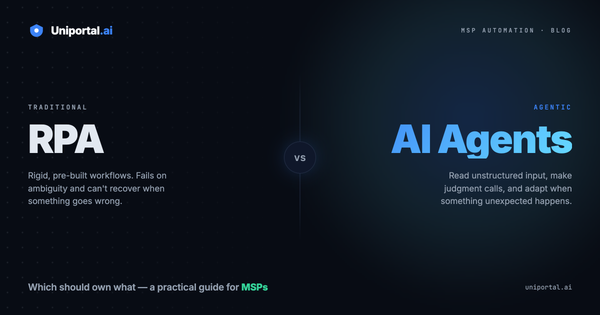
RPA Was Supposed to Fix Automation for MSPs. For Most, It Didn't.
RPA promised to automate MSP work. It mostly delivered complexity, cost, and a dependency on one person who understands the builder. Here's what happens when you write automations in plain English instead.
Every MSP we talk to has the same story about RPA.
Someone bought it. Someone spent a quarter building flows in it. Those flows worked, mostly. Then the person who built them moved on, a vendor changed an API, and now there's a folder of half-working automations nobody wants to touch.
It's not that RPA is bad technology. It's that the model doesn't fit how MSPs actually work. Three problems come up over and over:
It's too complex. Drag-and-drop builders look approachable in a demo. In practice you're managing branching logic, error paths, retries, and credential scopes across a dozen vendor APIs. That's software engineering with a mouse.
It's too expensive. Not just the license. The real cost is the months of build time before the first automation earns anything back.
It almost always needs a dedicated automation engineer. This is the one that kills it. The moment automation requires a specialist, it stops being something your service desk owns. Your techs — the people who actually know the process — end up filing tickets to get their own workflows built.
So the work stays manual. Not because nobody tried, but because the tool asked for more than the business could give it.
The gap nobody was closing
Here's the thing about MSP work: your techs already know the automations. Every one of them can describe an offboarding, a new-hire setup, or a monthly compliance check start to finish, from memory, in about thirty seconds.
That knowledge just had nowhere to go. It lived in a Word doc, a checklist in the PSA, or in someone's head — and the gap between "I can describe this perfectly" and "this is now automated" required a completely different skill set.
That gap is the actual problem. Not the automation. The translation.
Skills: write the process, not the code
That's what we built Skills for.
A Skill in Uniportal is a repeatable workflow written in plain English. You describe the process the way you'd explain it to a new tech on their first week. That's it — no builder, no logic nodes, no scripting.
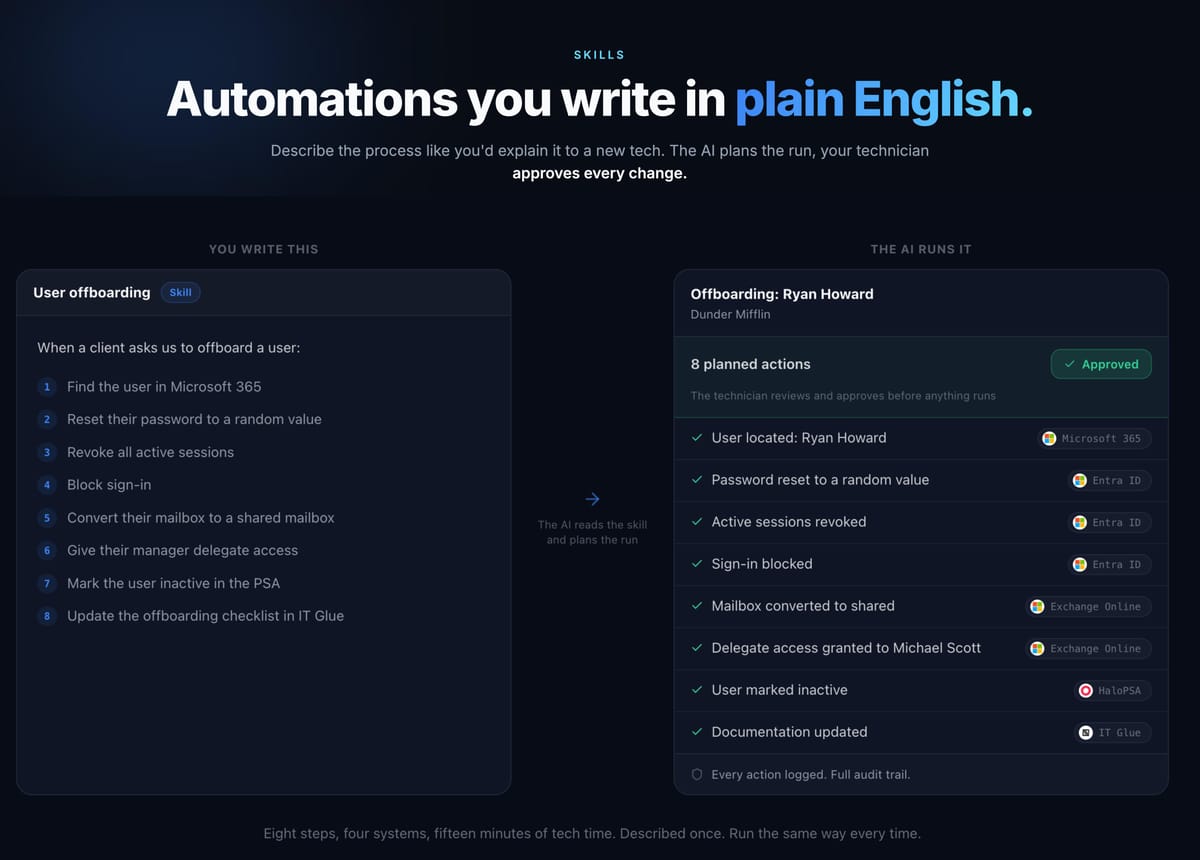
Here's a real one. User offboarding:
When a client asks us to offboard a user:
- Find the user in Microsoft 365
- Reset their password to a random value
- Revoke all active sessions
- Block sign-in
- Convert their mailbox to a shared mailbox
- Give their manager delegate access
- Mark the user inactive in the PSA
- Update the offboarding checklist in IT Glue
That's the whole automation. Not pseudocode for the automation — the automation itself.
When a request comes in, the AI reads the Skill and plans the run. For that offboarding it produces eight actions across four systems: Entra ID for the password reset, session revocation, and sign-in block; Exchange Online for the shared mailbox conversion and delegate access; the PSA to mark the user inactive; IT Glue to update the documentation.
Eight steps. Four systems. Roughly fifteen minutes of tech time, every single time — described once, then run the same way forever.
You don't even have to write it yourself
The plain-English part is the floor, not the ceiling. You can also just tell the AI what you want automated and it writes the Skill for you.
Describe the outcome — "when we offboard someone, lock the account, convert the mailbox, close them out in the PSA, and update the docs" — and it drafts the steps. You read it, adjust the parts that are specific to how your team works, and save it.
That matters more than it sounds. The blank page is where most automation projects die. Nobody wants to be the first person to figure out the syntax. When the first draft is already sitting there in language you can read, editing it is a five-minute job for anyone on the desk.
Your technician approves every change
Automation that acts on client tenants without supervision is a liability, not a feature. So Skills don't run silently.
Before anything executes, the AI shows the full plan: every action it intends to take, which system it touches, and what it will change. Your technician reviews that list and approves it. Nothing happens until they do.
Every action is logged, with a full audit trail. When a client asks what happened to an account on a given Tuesday, you have the answer — not a reconstruction from four vendor portals.
This is the part that makes the whole thing usable in an MSP. You get the speed of automation with a human still holding the decision, which is exactly where the accountability sits anyway.
What changes when your techs own the automations
The practical shift isn't "we automated offboarding." It's who gets to automate.
When writing a Skill takes plain English and five minutes, the person who runs the process every day is the person who automates it. No ticket to the automation engineer. No waiting for a sprint. The tech who's done sixty offboardings writes the offboarding Skill, because they're the one who knows what step 6 actually needs to be.
And the second-order effect is bigger: your processes get written down. The tribal knowledge that lived in one senior tech's head becomes a Skill anyone can read, run, and improve. Onboarding a new hire stops being shadowing and starts being a library.
That's what automation was supposed to do for MSPs in the first place.
Start with the one you're tired of
You don't need an automation strategy. You need one workflow you're sick of doing manually.
Pick the process your team runs most often — offboarding, new-hire setup, monthly access reviews, whatever it is. Describe it the way you'd explain it to a new tech. Let the AI plan the run. Approve it once and watch it work.
Then do the next one.
Uniportal gives MSPs an AI teammate that works across Microsoft 365, your PSA, your RMM, and your documentation — with your technician approving every change. Learn more.